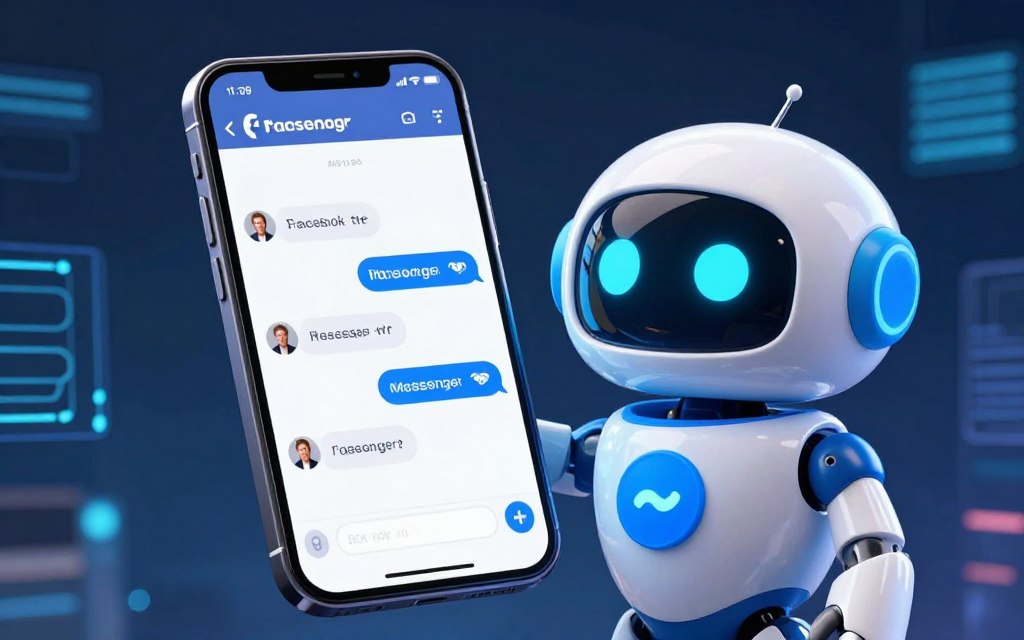

Facebook Messenger has over three billion users. It’s a top spot for business communication. Companies can talk directly to customers.
But, handling lots of messages at once is hard. Many businesses struggle to keep up with speed and quality.
The Facebook Messenger chatbot is here to help. It’s a smart tool for automated messaging. It can handle lots of customer service questions, help with sales, and offer quick support.
This tech makes talking to customers better. It’s always ready to chat and answers the same way every time. Businesses can keep leads warm and fix problems without needing staff all the time.
We’ll explore how these chatbots work. We’ll look at their main benefits and show how to use them well.
Defining Messenger Chatbots and Their Role
A modern Messenger chatbot is more than just an autoresponder. It can be a simple FAQ helper or a smart AI advisor. It’s a software that talks to users in Facebook’s Messenger. It understands messages and answers them without needing a person to check.
This tool is very useful for businesses. It turns a social app into a strong way to talk to customers. Chatbots can answer simple questions, help with tasks, and even make deals. They offer quick, scalable, and consistent chats.
Not all chatbots are the same. Their abilities depend on their technology. There are mainly three types: rule-based, AI-powered, and hybrid. Knowing these types helps pick the best chatbot for your business.
Rule-based chatbots follow set rules. They use “if-then” scripts to answer questions. They’re great for simple tasks like checking hours or tracking orders. But, they can’t handle unexpected questions well.
AI chatbots use NLP and machine learning. They understand what users mean, even if they ask in their own words. They’re good for complex support and personal advice. Learn more about building an AI chatbot for Facebook Messenger.
Hybrid models mix rule-based and AI chatbots. They handle simple tasks and complex questions. They also pass on tricky questions to a human. This makes sure customers get help when they need it.
Choosing the right chatbot depends on what you want to achieve. Rule-based bots are good for basic tasks. AI chatbots are best for detailed support. Hybrid models offer the best of both worlds, ensuring quality and efficiency.
| Chatbot Type | Core Technology | Best Use Cases | Key Characteristics |
|---|---|---|---|
| Rule-Based | Pre-defined decision trees & keyword matching | FAQs, order status, booking appointments, lead qualification | Predictable, fast to deploy, limited to scripted paths |
| AI-Powered | Natural Language Processing (NLP) & Machine Learning | Complex customer support, personalised shopping, dynamic content delivery | Adaptable, understands intent, improves over time |
| Hybrid Model | Combination of rule-based logic and AI with human escalation | End-to-end customer service, high-volume sales environments, technical support | Balances efficiency with empathy, ensures complex issues are resolved |
How Do Facebook Chatbots Work: The Core Mechanism
A Facebook chatbot works in two main steps. It connects to Messenger and understands human language. This process is made possible by a technical backbone that handles everything from simple greetings to complex questions.
This core mechanism explains how chatbots work well in the Messenger interface.
The Infrastructure: Messenger Platform and APIs
Every Messenger chatbot uses Meta’s Messenger Platform as its gateway. It’s like a rulebook and network that lets chatbots talk directly to Facebook’s messaging service.
The Messenger Platform API is key for developers. It lets them send and receive messages, manage user profiles, and share media like images.
When a user messages a bot, it goes through the Platform API to the bot’s server. The bot then sends a response back through the API to the user’s thread. This setup ensures secure, standardised, and fast communication.
Processing User Input: From Keywords to Natural Language
When a message comes in via the Messenger Platform API, the bot must figure out the right reply. There are two main ways to do this: using rules or artificial intelligence.
Rule-Based Bots follow a set of rules. They look for specific words or phrases to give a response. For example, saying “track order” might get a script asking for an order number.
AI-Powered Bots use natural language processing (NLP) to understand language like humans do. They don’t just look for keywords but also understand grammar, context, and feelings.
The goal is to get the user intent behind a message. For instance, “My parcel hasn’t turned up yet” might not have “track” in it, but an NLP model can figure out the intent is to track the order.
This way, bots can have more natural conversations. Advanced AI models also learn from new data to improve their responses over time.
As one expert in conversational AI notes,
The shift from keyword matching to intent recognition is what transforms a simple automated responder into a genuinely useful assistant.
In summary, the core mechanism is the Messenger Platform API and advanced input analysis. This combination lets bots have smart, timely, and relevant conversations.
Architecture and Automation Triggers
Every smooth Messenger chat has a well-thought-out setup. This setup decides how a chat begins and how it unfolds. A strong setup is key for good customer engagement. It turns casual interest into action. For more details, check out our comprehensive guide to Facebook chatbots.
The setup has two main parts: the entry points and the conversation paths. Getting both right is essential for success.
Common Entry Points for Users
A chatbot waits for a user to start a conversation. These entry points are placed in various digital spots to catch interest at the right time.
Advertising and Organic Social Media Posts
Facebook and Instagram ads are great triggers. They have a “Send Message” button. Clicking it starts a chat with your bot.
Comments on posts can also start a chat. A chatbot can respond to specific keywords. This connects social media to private chats.
Website Plugins and Messenger Codes
Chat plugins on websites let visitors start chats without leaving. They keep the conversation going from web to app.
Messenger Codes link to your bot. They’re easy to use offline, making marketing simple.
| Entry Point | Primary Use Case | User Action Required |
|---|---|---|
| Page ‘Message’ Button | Direct customer service enquiries | Clicking button on Facebook Business Page |
| Click-to-Messenger Ad | Lead generation from targeted campaigns | Clicking ad CTA (e.g., ‘Learn More’) |
| Website Chat Plugin | Capturing browsing site visitors | Clicking chat widget on website |
| Messenger Code | Offline promotion and event marketing | Scanning code with phone camera |
Designing the Conversational Flow
Once a user starts, the conversational flow design takes over. It’s like a map of the chat, showing every possible step. The goal is to be helpful, not just follow rules.
Good design uses menus and galleries. These make choices clear, helping the chat move smoothly. They aim for a specific goal, like booking an appointment.
Think of it as creating a decision tree. Each choice leads to a new path, gathering info at each step. A good flow answers common questions quickly and handles surprises by sending users to humans.
This careful planning in the conversational flow design phase makes a chat valuable. It builds trust and meets business goals well.
Primary Tools and Platforms for Development
Building Messenger chatbots has many tools, from simple drag-and-drop interfaces to complex coding environments. Your choice affects what you can automate, how fast you can launch, and who can manage the bot. This section helps you find the right chatbot development platform for your skills and goals.
No-Code Chatbot Builders
No-code builders are great for marketers, small business owners, and teams without coding skills. They use visual interfaces to design conversations without coding. They’re perfect for lead generation, broadcast messaging, and simple customer interactions.
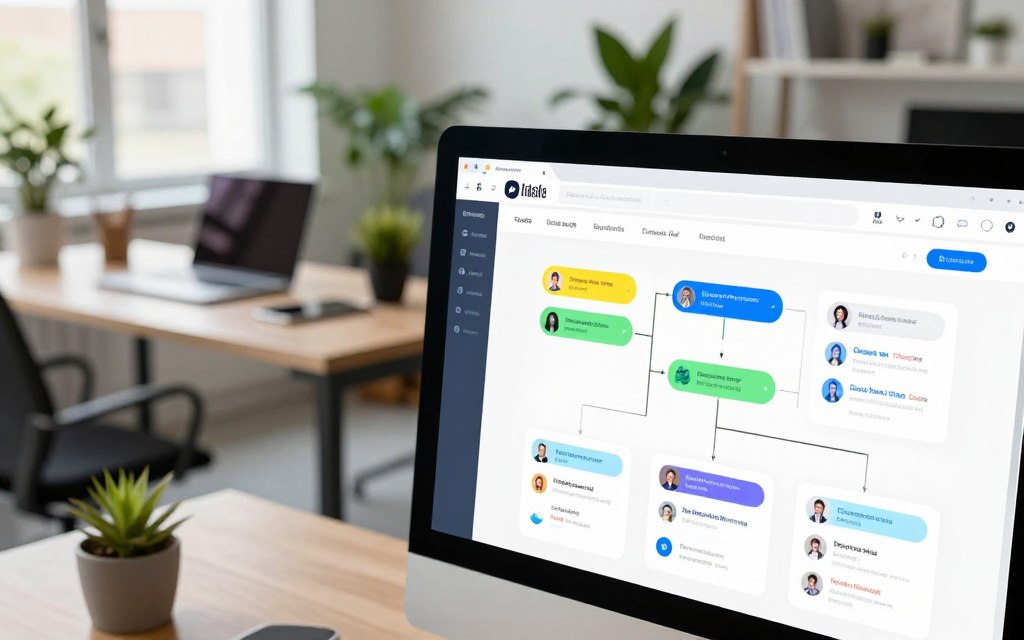
ManyChat and Chatfuel are popular no-code platforms. But, tools like Zendesk, Social Intents, and Glassix offer advanced AI agents. These systems provide seamless handoffs and deep CRM integrations for omnichannel support.
ManyChat: Features and Typical Use
ManyChat is known for its easy-to-use visual builder and large template library. It’s great for creating marketing and sales funnels in Messenger. Key features include:
- Drag-and-drop flow builder for designing complex conversational paths.
- Built-in tools for audience segmentation and broadcast messaging.
- Easy integration with e-commerce platforms and email marketing services.
ManyChat is used for automating lead qualification, sending updates, and answering FAQs. It turns Messenger into a dynamic broadcast channel.
Chatfuel: Capabilities and Strengths
Chatfuel is a top no-code chatbot builder with advanced AI and natural language processing. It supports nuanced, keyword-driven conversations. Its main strengths are:
- Advanced AI rules that understand user intent from various phrases.
- A powerful plugin system for connecting to countless external apps and databases.
- Strong analytics dashboard to track bot performance and user engagement.
Chatfuel is great for businesses needing a bot for diverse customer queries. It’s ideal for initial customer support and interactive content delivery.
Meta’s Native Tools and Direct API Development
For full customisation and control, Meta offers native developer tools. The Messenger Platform and APIs let developers build unique chatbot experiences. This approach is through Meta’s Developer Portal, using programming languages like JavaScript or Python.
This method offers unparalleled flexibility for creating unique logic and integrating with proprietary software. It requires a high technical barrier and dedicated development resources.
“Choosing between a no-code builder and a custom API solution depends on your needs. No-code gets you to market fast and is easy to update. Custom development builds a strategic asset tailored to your workflow.”
The table below shows the main differences between these two development paths:
| Feature | No-Code Builders (e.g., ManyChat, Chatfuel) | Direct API & Native Development |
|---|---|---|
| Technical Skill Required | Minimal; visual interface | High; programming expertise needed |
| Speed to Launch | Very fast (hours/days) | Slower (weeks/months) |
| Customisation Level | Limited to platform features | Nearly unlimited |
| Ongoing Maintenance | Managed by platform provider | Handled in-house by IT team |
| Ideal For | Marketing, broadcasts, simple Q&A | Complex workflows, deep system integration |
Your choice should balance immediate functionality with long-term strategic needs. A no-code chatbot builder like ManyChat or Chatfuel is a strong start. Investing in a custom chatbot development platform via APIs can give you a lasting competitive edge.
Practical Applications and Business Benefits
Chatbots are now a key tool for businesses. They automate support, generate leads, and boost e-commerce sales. Their use brings a clear return on investment, making customer interactions more efficient and profitable.
Automating Customer Support and Lead Generation
Messenger chatbots handle simple customer questions well. They offer 24/7 customer support, answering common queries quickly. This includes questions about business hours, return policies, or product details.
This constant support boosts customer happiness. Chatbots can also schedule appointments, update on shipments, and collect feedback after service.
By automating these tasks, human agents can focus on complex issues. At the same time, chatbots help generate leads.
They do this by asking questions and capturing customer details. This way, sales teams get pre-qualified leads, making sales more efficient.
Driving E-commerce Sales and Engagement
In Messenger, a chatbot acts as a personal shopping assistant. It suggests products based on user preferences and answers questions about stock or features. It can even process orders directly in the chat.
It’s also great at stopping cart abandonment. The bot sends reminders about saved items and offers discounts to recover lost sales. This boosts the conversion rate.
This guided shopping experience keeps customers engaged. It makes buying easier, like how AI automation simplifies complex tasks in other areas.
| Application Area | Key Functions | Primary Business Benefits |
|---|---|---|
| Support & Lead Generation | 24/7 FAQ answering, appointment booking, shipment updates, conversational lead capture. | Reduced support costs, improved agent efficiency, higher quality sales leads. |
| E-commerce & Sales | Product recommendations, cart recovery messages, in-chat checkout, order status updates. | Increased average order value, higher conversion rate, reduced cart abandonment. |
| Cross-Functional | Gathering feedback, broadcasting updates, reinforcing brand voice. | Enhanced customer satisfaction, scalable communication, consistent brand experience. |
The benefits are clear. Businesses save costs through automation. They offer 24/7 service without needing more staff.
Customer satisfaction goes up with instant, personal interactions. Every chat ensures the brand’s message is consistent, improving its image.
Essential Steps for Planning and Implementation
A well-planned chatbot implementation strategy turns an idea into a real automated helper. Moving from planning to a live bot needs a clear plan. This ensures your Messenger chatbot meets your business goals and offers a great user experience.
- Define Clear Objectives and Use Cases
Every project starts with a solid plan. First, ask, “What specific problem should this bot solve?” Knowing this helps set your chatbot objectives. Goals often include cutting down support tickets, qualifying leads, or boosting sales.
Write down your main use cases and how you’ll measure success. Important metrics might be how well the bot solves problems, user happiness, or sales boosts. Being clear helps make every decision easier.
- Select Your Development Platform
Next, pick the tool to build your bot. Your choice depends on your tech skills and how complex you want it to be. Simple no-code builders are great for basic flows. For more custom interactions, direct API development gives you full control.
Look at platforms based on how well they integrate, AI features, and how they grow. The right platform supports your goals without being too complicated.
- Connect and Configure the Basic Setup
After choosing your platform, link it to your Facebook Business Page via the Messenger API. This lets the bot act on your behalf. Then, make basic settings to match your brand.
Choose a friendly bot name, upload a recognisable avatar, and write a helpful welcome message. This first message sets the tone for all future chats.
- Train Your Chatbot with Business Knowledge
This is the most important step for AI bots. To train an AI chatbot well, you need to give it your company’s specific knowledge. Upload FAQs, product lists, policy guides, and any support chats.
The bot learns from this data to give accurate, brand-friendly answers. Keeping it trained with new info makes it better over time.
Even the best chatbot can’t handle everything. Set clear rules for when to pass a chat to a human. This could be when a user says “agent,” seems upset, or asks something complex.
Make sure the handoff to a human is smooth, passing on the chat history. This makes users feel heard and problems get solved quickly.
“Failing to plan for the handoff to a human is planning for user frustration. The best bots know their limits.”
- Conduct Rigorous Pre-Launch Testing
Never launch a bot without testing it thoroughly. Test many user scenarios, including tricky ones. Get team members from different areas to test it from different angles.
Check for spelling mistakes, broken logic, and wrong answers. Testing finds problems in both the chat design and the AI training.
| Testing Scenario | Primary Goal | Success Indicator |
|---|---|---|
| User asks a common FAQ | Bot provides instant, accurate answer | Correct information delivered in under 2 seconds |
| User requests a human agent | Seamless escalation with context transfer | Live agent receives full chat history and query |
| User asks an off-topic question | Bot provides a graceful fallback response | User is redirected to a relevant menu or option |
| Multi-step process (e.g., booking) | Bot guides user through all steps correctly | Process is completed without errors or dead-ends |
Following this implementation strategy reduces risks and sets up for success. Each step, from setting goals to final testing, builds on the last. This creates a strong and useful automation tool for your Messenger channel.
Best Practices for Optimising User Experience
To make a chatbot more than just a script, focus on making user interactions smooth and satisfying. A great user experience (UX) is what makes a chatbot useful, not just a tool. To achieve this, follow some proven best practices.
Building trust starts with transparent AI communication. Your chatbot should say it’s an automated assistant right away. This sets the right expectations, avoids frustration, and builds trust. A simple “Hi, I’m [Bot Name], an automated assistant here to help” works wonders.
Use a friendly, conversational tone that matches your team’s. Design for the small screen, with short messages and clear choices. Quick-reply buttons and carousel menus help users quickly, reducing typing mistakes.
Chatbot personalisation boosts engagement. Use data like a user’s name or past purchases to make interactions more relevant. Personalisation can include:
- Addressing returning users by name.
- Recommending products based on browsing history.
- Referencing the status of an open support ticket.
The table below summarises these core strategies and their practical application:
| Practice | Implementation | Primary Benefit |
|---|---|---|
| Transparency & Identity | Clear bot introduction; no imitation of a human agent. | Builds trust and manages user expectations effectively. |
| Conversational Design | Use of buttons, carousels, and concise, natural language. | Reduces friction and guides users to solutions faster. |
| Personalisation | Leveraging user data (name, history) to customise responses. | Significantly boosts engagement and perceived value. |
| Performance Analytics | Regular review of completion rates, fallback responses, and user feedback. | Provides data-driven insights for continuous optimisation. |
Designing a seamless human handoff is key. Bots are great for simple queries, but complex issues need human empathy. Your flow should clearly show when to escalate. Offer a “Speak to an agent” button when the bot can’t help after a few tries.
A well-defined handoff protocol isn’t a failure of the bot; it’s a safety net that ensures no customer is ever left stranded. The transition should be smooth, transferring conversation history to the human agent for context.
Lastly, treat your chatbot as a living system. Regularly check its performance metrics. Update its knowledge base when it gets confused. User feedback is invaluable for improvement. This cycle of monitoring, learning, and updating keeps your chatbot accurate and relevant over time.
Recognising Challenges and Ethical Considerations
Chatbots bring many benefits, but they also have their limits and ethical issues. It’s important to understand these fully for them to work well.
One big chatbot limitation is dealing with tricky questions. They’re great for simple tasks but can get lost with complex or sarcastic language. This shows the need for a system that can quickly switch to a real person when needed.

But it’s not just about the tech. The real challenge is using AI in an ethical way. Building trust with users is essential for any chatbot to succeed in the long run.
Keeping user data safe is a big part of this. Companies must get clear consent before using personal info. They also need to be open about how they use and store this data. Giving users an easy way to opt out is also key, as it respects their rights and follows strict rules like GDPR.
Being honest with users is another vital aspect of ethical AI use. Chatbots should never pretend to be human. Being clear about their automated nature helps set the right expectations. This approach not only protects your brand but also builds real loyalty with your customers.
The Evolving Future of Messenger Automation
Messenger chatbots are becoming smarter, handling complex conversations across different platforms. This change is driven by AI advancements and the need for smooth customer experiences. It marks a shift towards more advanced digital assistants.
Generative AI chatbots and large language models like GPT-4 are key to this evolution. Platforms like Glassix are using these technologies to enhance interactions. They allow bots to grasp context, nuances, and user intent, making conversations feel natural and creative.
The trend towards omnichannel messaging integration is also significant. Businesses aim for a single AI that works across Facebook Messenger, Instagram Direct, WhatsApp, and live website chat. This ensures a seamless experience, making customers feel valued, no matter how they interact.
We’re seeing the emergence of proactive “AI agents.” These are not just reactive tools but can handle entire workflows on their own. For example, a user might ask for a flight and hotel booking. An advanced AI agent could then analyse preferences, check availability, and complete the booking without human help.
The impact on businesses is huge. This shift in future of conversational AI offers:
- Deeper customer relationships through personalised, context-aware support available 24/7.
- Significant operational efficiency as bots handle complex tasks.
- A unified brand voice across all digital customer touchpoints.
To stay ahead, organisations must prepare for this AI-driven future. Tomorrow’s chatbots will be more like digital colleagues, changing how we view Messenger automation and customer engagement.
Conclusion
Facebook Messenger chatbots change how businesses talk to their customers. They turn a common way to chat into a strong tool for growth. By using a Messenger bot, you meet customers where they spend most of their time.
These chatbots work well because they understand natural language and are easy to set up. They help you handle customer support better, find more leads, and sell more. This all helps your business grow faster.
Starting with chatbots is easier than you think. Thanks to no-code tools and Meta’s help, you can begin without a lot of tech knowledge. Many services offer free trials, so you can try them out without spending a lot.
As chatbots get better, they will play an even bigger role in talking to customers. For now, starting your chatbot journey can make your business more efficient. You can also use AI to improve your business descriptions and online presence.
Don’t see chatbots as a hard task. They are a key step in improving how you connect with customers. It’s a smart move to make your business more efficient and connected.
FAQ
What is a Facebook Messenger chatbot?
A Facebook Messenger chatbot is a software that talks to users on Messenger. It answers questions, helps with tasks, and works all the time. This makes talking to businesses easier and saves time.
What are the main types of Messenger chatbots?
There are a few main types. Rule-based chatbots follow set rules for simple tasks. AI-powered chatbots understand and talk like humans. Hybrid models mix both for complex issues.
How does a Facebook Messenger chatbot technically work?
Chatbots use Meta’s Messenger Platform and APIs to send and get messages. Rule-based bots use keywords and decision trees. AI-powered bots understand and respond to natural language, getting better over time.
How can a user start a conversation with a Messenger chatbot?
Users can start a chat in many ways. They can message a Facebook Business Page, click on ads, or scan a Messenger Code. They can also use a website chat plugin.
What tools can I use to build a Messenger chatbot without coding?
You can use no-code builders like ManyChat and Chatfuel. They have easy-to-use interfaces and templates. For more complex needs, Meta’s Developer tools or direct API access are available.
What are the key business benefits of using a Messenger chatbot?
Chatbots help with customer support, qualify leads, and boost sales. They work all the time, saving costs and improving customer happiness.
What are the essential steps to implement a Messenger chatbot?
First, plan what the chatbot will do. Then, choose a platform and connect it to your Facebook Page. Train the chatbot, set up human help, and test it well before you launch.
What are the best practices for optimising chatbot user experience?
Make it clear it’s a bot, design for mobile, and use quick buttons. Personalise chats, ensure smooth handovers, and keep improving based on feedback.
What are the ethical considerations for using Messenger chatbots?
Always get user consent, be open about data use, and let users opt out. Follow data protection laws to keep users’ trust.
What is the future of Messenger chatbot technology?
Future chatbots will use advanced AI for better conversations. They will work across platforms and do more on their own. This will make them very useful for businesses.


 By
By